For member-guests and team events

Your pigeon sheet, on your phone.

Every side bet your team makes with other teams, in one place. Results post from a photo or the tournament's PDF, the math does itself, and settling up is one number per team.
Free for players
No app to download
Same account as FLOG Golf
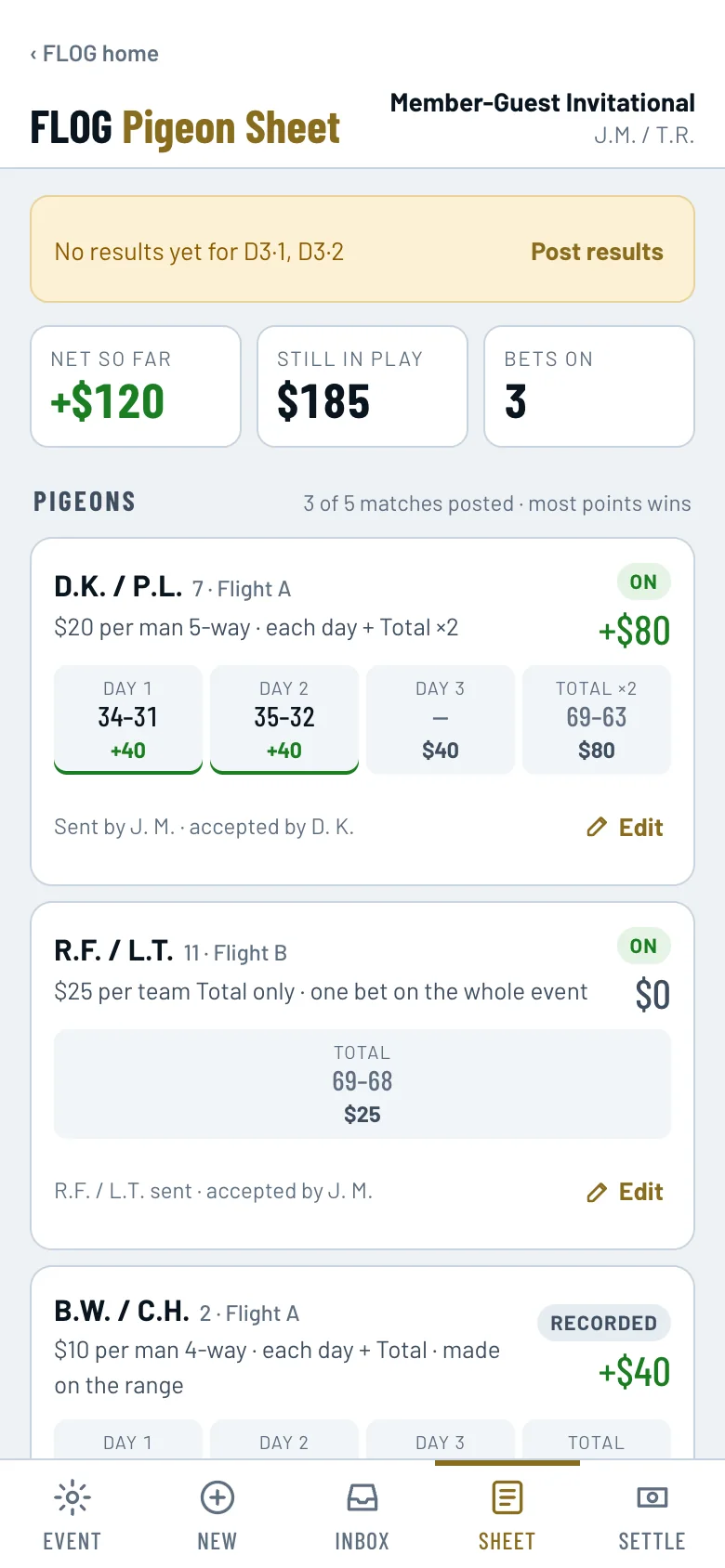
The Sheet tab: each pigeon with day-by-day results, money won or lost per leg, and the team's net so far.
The paper sheet

Great tradition. Terrible spreadsheet.

A pigeon is a side bet between two teams at a member-guest: $20 5-way, $10 4-way, whatever you shook on at the range. By Saturday night there are a dozen of them on a folded sheet, and somebody has to do the math.

How it works

Four steps, and the scorer's tent does most of the work.

1

Start the event or join one

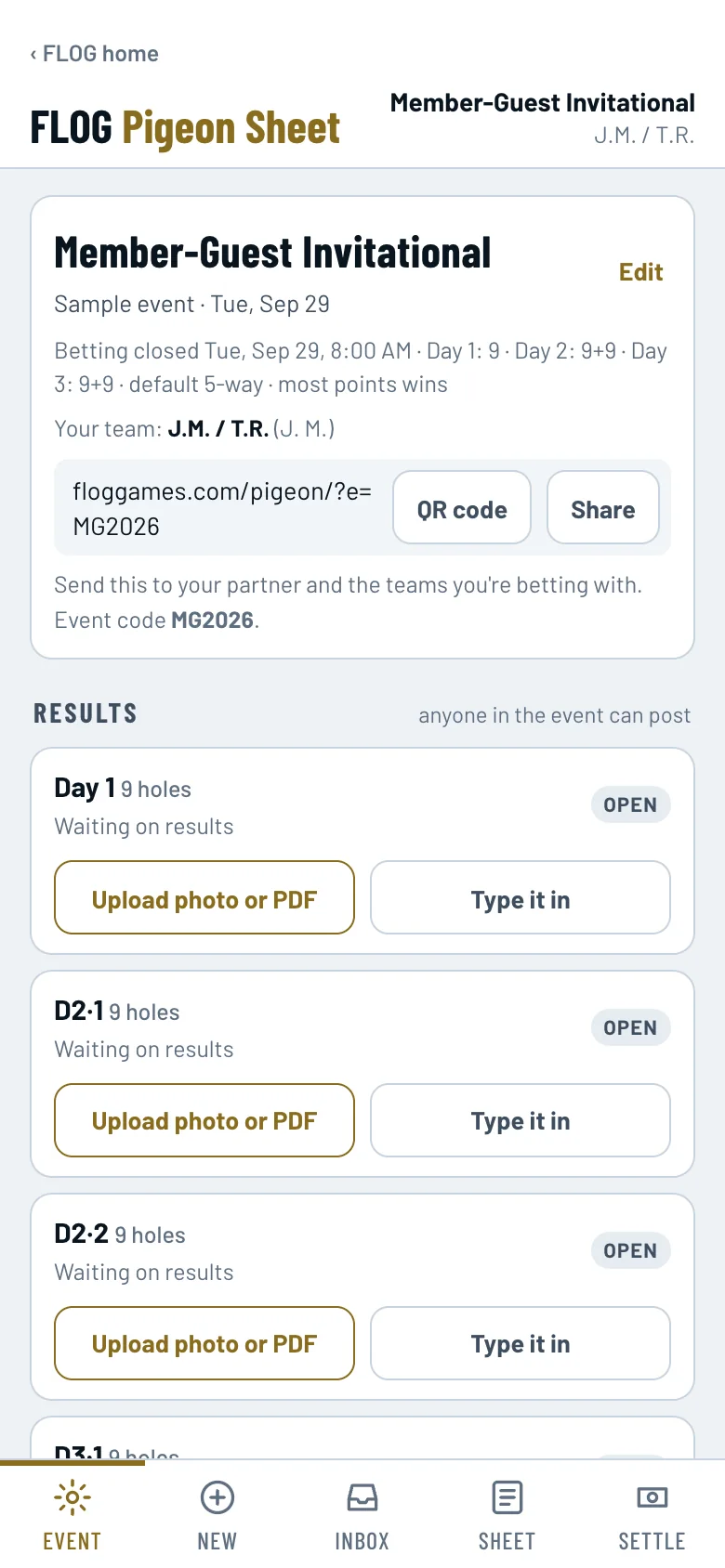
Set the days and matches (9 / 9+9 / 9+9, three days of 18, whatever the format is), then share the link or QR code. Teammates join your team; other teams join theirs.

  • Snap the pairing sheet and every team is listed for you.
  • Teams that never join still show up, so you can bet against them.
The Event tab with the share link, QR code, event code, and a Results list where each match has Upload photo or PDF and Type it in.
2

Add your pigeons

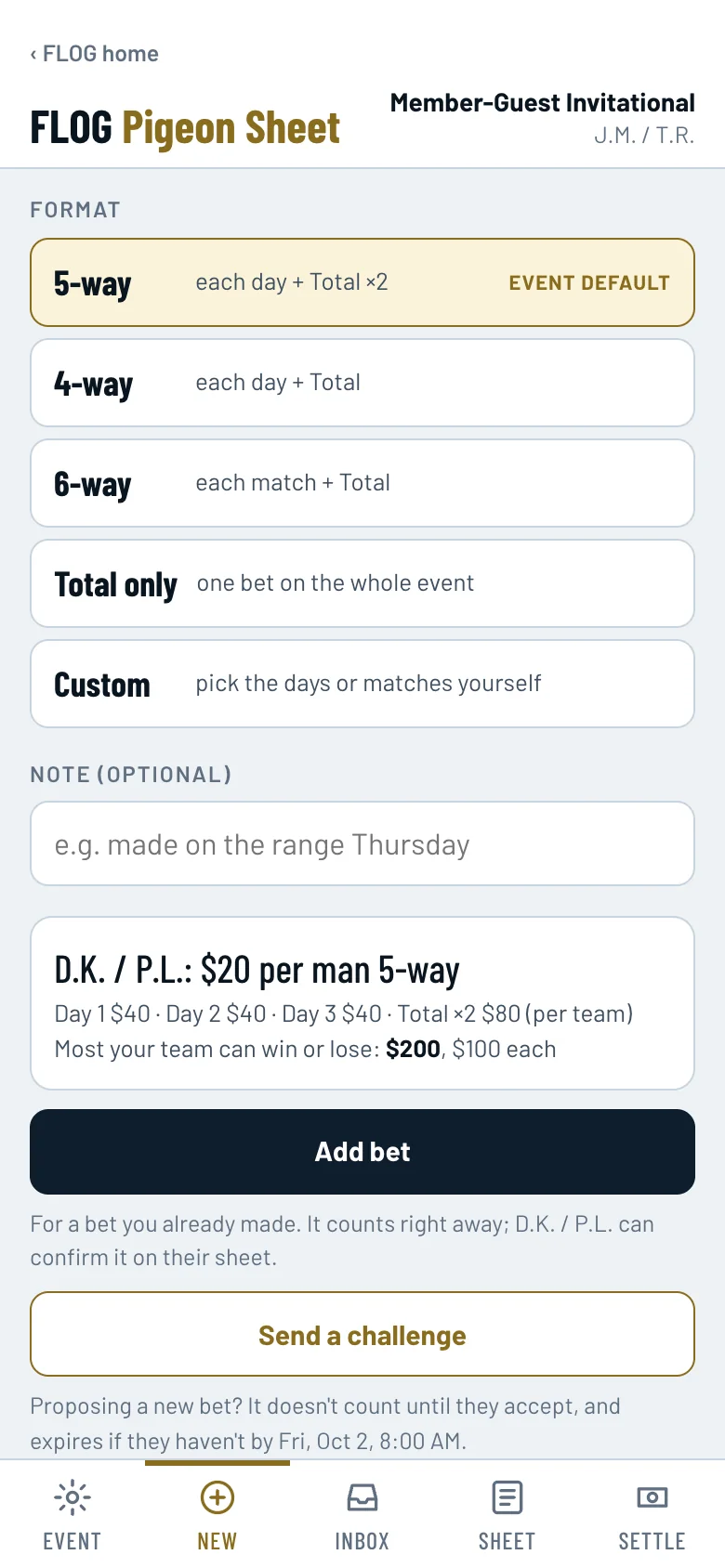
Pick the team, the dollar unit and the format. Already shook on it? Tap Add bet and it counts right away. Proposing a new one? Send it as a challenge and it counts when they accept.

  • Per man or per team, any dollar amount.
  • The preview shows the most either team can win or lose.
Adding a pigeon: format choices, a preview of $20 per man 5-way with the amount per leg, and the Add bet and Send a challenge buttons.
3

Results post, the sheet scores itself

Anyone in the event can post a match: snap the scoreboard, upload the results PDF, or type the numbers in. Every pigeon updates on every phone, leg by leg.

  • A day is the sum of its matches. Total counts every match.
  • Points, Stableford or net strokes, whatever the event posts.
The Sheet with results posted: each leg shows both teams' numbers and the money won or lost.
4

Settle up in one tap

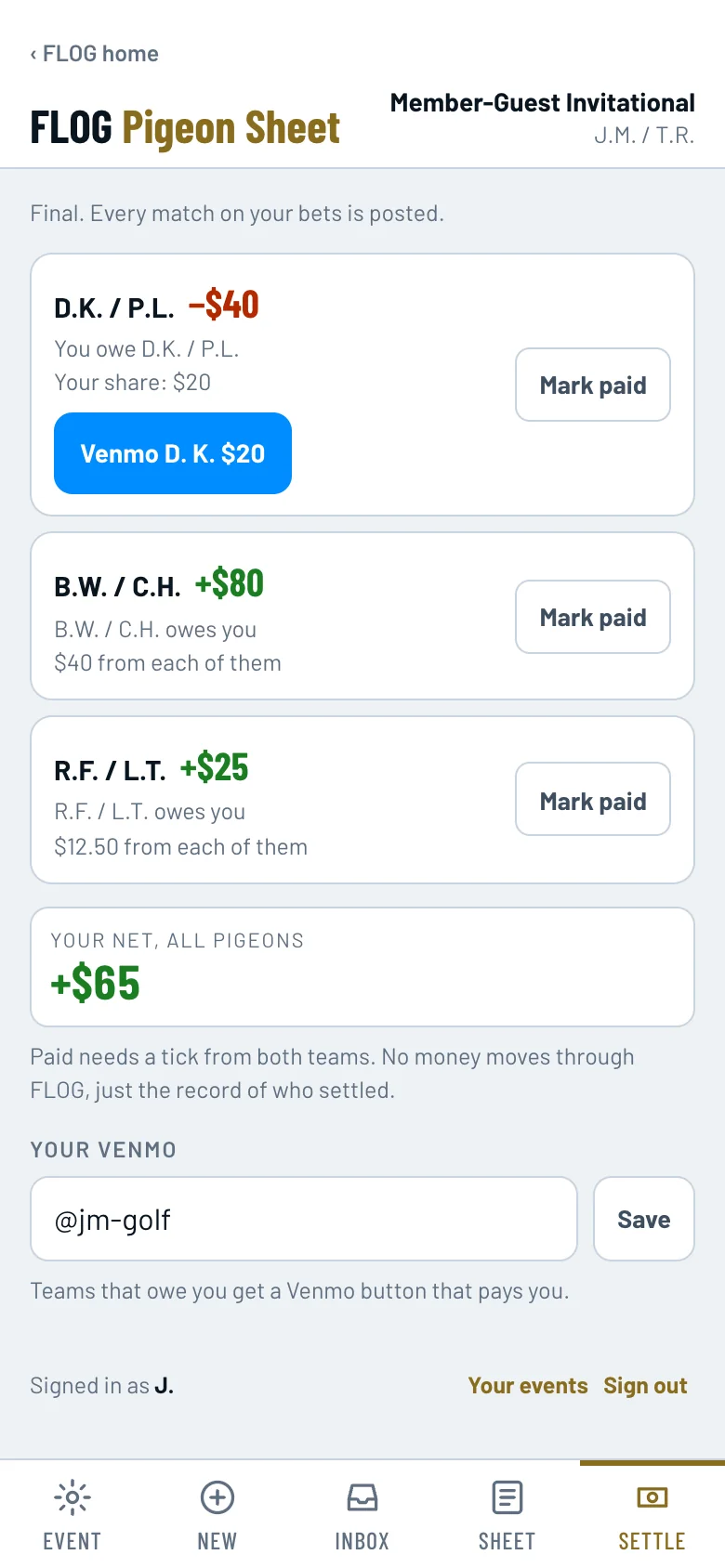
Settle shows one number per team and your share of it. Owe them? The Venmo button has the amount filled in. Both teams tick Paid and it's done.

  • Your share is split across their players, so partners pay their half.
  • No money moves through FLOG. It's the record, not the bank.
The Settle tab: what you owe each team, your share, a Venmo button, and a Mark paid box.
Every way you bet

5-way, 4-way, by match, or your own mix.

The examples below are for a three-day event. The sheet works out the legs from your event's schedule.

5-wayEach day, plus the Total counted twice.
4-wayEach day, plus the Total once.
By matchEach match on its own, plus the Total.
Total onlyOne bet on the whole event.
CustomPick the days or matches yourself, and how many times the Total counts.
Private to the two teamsNobody else in the field sees your pigeons. Just the two teams on each bet.
Change a bet, fairlyEdit any bet. Once it's on, the other team has to OK the change.
They don't have to joinBet against a team that never opens the app. It still scores and settles on your sheet.
Partners share one sheetYour partner joins your team and sees every bet. Either of you can add more.
Your call on when betting closesClose pigeons at the first tee, or keep them open through the last day.
Works on any phoneOpen the link and sign in. Nothing to install.
For tournament committees and golf pros

Running the event? Results can arrive by email.

Every event gets its own results address. Forward the results email from the scoring system, with the PDF or spreadsheet attached, and every player's sheet updates on its own. No typing, no taping a sheet to the locker room door.

  • Approved senders only. Anything unclear is held for a person to check.
  • Add co-admins from the committee.
  • Players use it free.
Talk to us about your event
The Event tab, where results are posted for each match.
Questions

The fine print, in plain English.

Is it free?

Yes, for players. Create an account, join your event, add your pigeons. There is nothing to buy.

Does money move through FLOG?

No. FLOG keeps the record and does the math. You pay each other the way you always have, and the Venmo button just fills in the amount.

Does the other team need the app?

No. Add the bet and it counts on your sheet and settles from the posted results. If they join later, they can confirm it.

What if there's no PDF or photo of the results?

Type the numbers in. Each match has a Type it in button, and you only need your team and the teams you bet with.

What does "per man" mean?

The dollar unit is per player. $20 per man with two-man teams is $40 per leg for the team, and each partner covers $20. Per team means the unit is for the whole team.

Can I fix a bet I entered wrong?

Yes. Tap Edit on the bet. If the other team already accepted it, they get the change to OK, and the bet stays as it was until they do.

I already use FLOG Golf. Is this a different account?

Same account. Sign in with what you already use.

Your next member-guest

Leave the folded sheet at home.

Start the event, send the link to your partner, and add your pigeons on the range.

Start an event Create free account